Today I am reviewing the ebook -
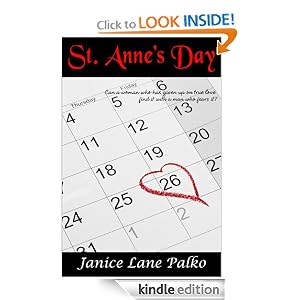
St. Anne's Day
by Janice Lane Palko
Where to get the book? Follow this link:
St. Anne's Day [Kindle Edition] by Janice Lane Palko
Kindle price - $0.99
Well, I got my book free, a gift from the author who I am friends with on facebook. But it is a book well worth a mere 99 cents; and it is a great read. I highly recommend this book.
Now in this day and age, I suspect we are all familiar with home-care nurses. That is, nurses who care for patients in their homes. These people are a great help to the patients they care for.
Well here in this novel, Ms. Palko wraps a home-care nurse up in a delicious romance novel that is gripping, can't stop reading from beginning to end. I mean, picture it: here we have Anne Lyons, home care nurse, starting a new job. And this is a new job that she can't afford to mess up, because she got fired from her last one due to a temper outburst.
So here is nurse Anne, heading to her new job, feeling anxious and wanting to do good; frustrated with the hassles of getting there to a new place. I mean, you've been there and done that, right? When she gets to the address, it is . . . . a bar. She thinks that surely they have gotten the address wrong, and she goes inside hoping to get some info and some help. But she runs smack-dab into Mac McMaster, who decides to have a bit of fun at Anne's expense. And the sparks start to fly, and they keep flying throughout the whole book. The book starts out with Anne losing her temper and trying to sock Mac, before she finds out that he is the one who employed her.
Anne's patient is Mac's mother, Peg, who is a dear of a character that you will adore. Somewhere in the midst of Anne caring for Peg, Peg decides that Anne is the girl for her son; and the matchmaking begins as well.
It's a rip-roaring time in this book, from beginning to end. I think you will love it. I know I did. Along with Anne, Mac, and Peg, there are other characters who help fill out the story; and who are as adorable as the other three. Plus there's a bit of danger towards the end of the book as well.
It's an excellent read.
Do I recommend it - definitely yes!
Happy reading -
jd
Saturday, September 8, 2012
Wednesday, August 29, 2012
Guest Movie Review - The Brave One
Hello! And welcome to my newly revamped and re-titled blog, which is now called: JD's Leisure Zone. And we begin with a movie review by a writer friend of mine, Bill Elliott.
Movie Review - The Brave One
by William K. Elliott
www.WilliamKElliott.com
If you spend a few extra minutes searching through the DVDs and BluRays on the shelves of your local video rental establishment, or if you do the same with your online rental provider’s catalog, you might find something a bit unusual. Mixed in among all the shoot-em-up and drama-for-drama’s-sake movies, if you peruse carefully, there is a class of movie frequently missing from your local theater’s marque. These are flicks with a twist, as different as a man dressed in a bright purple suit with a yellow tie and a pink Panama hat. At a funeral.
I am talking about a movie with a plot.
No, it’s true. Not only are there movies that have these seemingly archaic devices, some of them have even been filmed in the years after Ike stopped playing golf.
Which leads me to the film my wife and I sat down to watch over the weekend. At first we found it to be a little odd. This wasn’t because the aforementioned man in slightly-too-bright clothing was one of the main characters. Instead, it was because the characters were… well… characters. By the time you were fifteen minutes into the movie, you felt a real connection to them—you felt like you really knew them. You even, dare I say it, liked them.
This wasn’t any blockbuster of course. Such movies rarely are. But “The Brave One” starring Jodie Foster and Terrence Howard (www.imdb.com/title/tt0476964/) is most definitely a movie worth seeing. The plot is summarized on the cover as “A woman struggles to recover from a brutal attack by setting out on a mission for revenge.” But don’t let that fool you; revenge is only a small part of the movie. Instead, you watch Erica Bain (played by Foster) as she sets out to deal with the fact that everything she assumed about her safe little life is an illusion. Yes, she buys a gun, and yes, she does become a vigilante—but through Foster’s fantastic portrayal of Erica, you come to empathize with her real motive: to be safe again.
I won’t spoil it by telling you how it all ends, but I will say that Terrence Howard (playing Detective Mercer, the cop that eventually solves the vigilante cases), does a superb job of depicting his character’s mixed emotions. As with Foster’s Erica, Howard’s Det. Mercer is a believable and complex character.
“The Brave One” is rated “R” for a fair bit of graphic violence, and a little nudity. There is also some foul language. But none of it seems over the top to me, and is instead indicative of what feels like a real-life story. Check it out; I don’t think you’ll be disappointed.
William K Elliott
William K Elliott is an author currently working on his first novel, “In The Company of Devils,” about a man who thinks he understands the world. Until he witnesses a gang hit… Check out William’s blog, as well as the development of his book at www.WilliamKElliott.com
Movie Review - The Brave One
by William K. Elliott
www.WilliamKElliott.com
If you spend a few extra minutes searching through the DVDs and BluRays on the shelves of your local video rental establishment, or if you do the same with your online rental provider’s catalog, you might find something a bit unusual. Mixed in among all the shoot-em-up and drama-for-drama’s-sake movies, if you peruse carefully, there is a class of movie frequently missing from your local theater’s marque. These are flicks with a twist, as different as a man dressed in a bright purple suit with a yellow tie and a pink Panama hat. At a funeral.
I am talking about a movie with a plot.
No, it’s true. Not only are there movies that have these seemingly archaic devices, some of them have even been filmed in the years after Ike stopped playing golf.
Which leads me to the film my wife and I sat down to watch over the weekend. At first we found it to be a little odd. This wasn’t because the aforementioned man in slightly-too-bright clothing was one of the main characters. Instead, it was because the characters were… well… characters. By the time you were fifteen minutes into the movie, you felt a real connection to them—you felt like you really knew them. You even, dare I say it, liked them.
This wasn’t any blockbuster of course. Such movies rarely are. But “The Brave One” starring Jodie Foster and Terrence Howard (www.imdb.com/title/tt0476964/) is most definitely a movie worth seeing. The plot is summarized on the cover as “A woman struggles to recover from a brutal attack by setting out on a mission for revenge.” But don’t let that fool you; revenge is only a small part of the movie. Instead, you watch Erica Bain (played by Foster) as she sets out to deal with the fact that everything she assumed about her safe little life is an illusion. Yes, she buys a gun, and yes, she does become a vigilante—but through Foster’s fantastic portrayal of Erica, you come to empathize with her real motive: to be safe again.
I won’t spoil it by telling you how it all ends, but I will say that Terrence Howard (playing Detective Mercer, the cop that eventually solves the vigilante cases), does a superb job of depicting his character’s mixed emotions. As with Foster’s Erica, Howard’s Det. Mercer is a believable and complex character.
“The Brave One” is rated “R” for a fair bit of graphic violence, and a little nudity. There is also some foul language. But none of it seems over the top to me, and is instead indicative of what feels like a real-life story. Check it out; I don’t think you’ll be disappointed.
William K Elliott
William K Elliott is an author currently working on his first novel, “In The Company of Devils,” about a man who thinks he understands the world. Until he witnesses a gang hit… Check out William’s blog, as well as the development of his book at www.WilliamKElliott.com
*** Does this inspire you to want to do a guest post? If so, contact me at:
rcandfood@yahoo.com
-- jd --
Friday, April 20, 2012
How to contact a facebook game developer
One thing I run across a lot on facebook is people who are having a problem with their game, and don't seem to know how to contact the game developer. When your friends don't have a solution to your problem, or it is a problem that nobody else is having, then it is time to contact the game developer. Doing so is a fairly easy process, and is consistent for all facebook games. Check out the pictures below to learn how to do this:
==============================================
==============================================
==============================================
==============================================
And that is how you contact a facebook game developer.
Sunday, March 4, 2012
The Facebook timeline and you
Timeline is the new facebook layout for the individual profile. Here are some facebook help section links that give info about the timeline profile:
Introducing Timeline
What is a timeline?
What happens when I upgrade to timeline?
How can I see what my timeline looks like to other people?
How do I hide a story on my timeline?
What is a cover? How do I add a cover to my timeline?
How do I add things to my timeline?
Now a lot of people don't like the new timeline profile, and are avoiding changing over as long as possible. In fact, I used to be one of those people. I put off changing to the new timeline profile until the word came out that facebook was going to be switching everyone over to the timeline. So I went ahead and did mine, to get experience, so I could help my husband with his.
Changing over was very easy. But when I first got my timeline profile, I hated it and couldn't find anything. But as time has passed, I have gotten used to it and am doing much better at finding things too. One thing that I have always loved about it is the cover photo part. I adore that. I still am not wild about the 2 column layout, and think a one column layout might have been less confusing to people. But as I have said, with time I have gotten used to it; and am beginning to even like it. Check out a post I made about how I originally felt about it:
Facebook's new timeline profile stinks!
But like it or not folks, elements of this new timeline profile are spreading across all of facebook. On facebook groups, they still have the one column of posts, but groups now have the option to add a cover photo. Check out one of my groups to see the new look of facebook groups:
GnomeTown players group
The picture you see across the top is one I took myself, and I really like the new look of facebook groups. But it isn't just your profile and facebook groups that is getting a new look. It is facebook pages too. This is the message that greeted me recently at the top of one of my facebook pages:
"Coming Soon: New Facebook Pages
On March 30, 2012, all Facebook Pages will get a new design. Preview your page now to see what it looks like and try out the new features."
Here is a picture of the old version of one of my pages:
And here is a link to one of my pages that has been changed over to the new look:
Recipes, cooking, and food
With all the strong hostility to the new timeline profile, I wasn't sure how my fans would like the new page look. But so far the reactions have been good. As for me personally, I really like the new pages. But this all goes beyond just looks.
This major change to significant parts of facebook is more than just cosmetic. Check out the following article for some more info:
Facebook outlines history, infrastructure behind Timeline
The software behind the new look also involves new ways to interact online:
Apps bring your timeline to life
So while you may not like timeline, it's possible you may be enjoying some of the new apps that come with timeline.
Another subject that I run across a lot is people who want to remove timeline. My advice to people about timeline:
Change over to it and accept it, and work on learning about it and getting used to it. It is a new part of facebook that is here to stay, and if you will give it a chance, you might find that you too will grow to like it.
BUT BEWARE OF ANYTHING THAT PROMISES TO REMOVE TIMELINE!
Check out the following links about removing timeline:
Scams target anti-Timeline Facebook users
Beware of 'Remove Timeline' Facebook Scams
So if you download or add anything that promises to change your profile back to the old style, be aware that you may be endangering the security of your facebook account and/or your computer. You do so at your own risk! And I advise against using anything that promises to get rid of timeline!
People - change is part of society, and is especially part of computers. I am 51 years old now, and have seen a lot of change during my lifetime. When I was a kid, there were no cell phones or ipads or ipods or tablets or kindles or any of that stuff. Back then, someone who had a color t.v. was something. My mom walked to school at a one room schoolhouse.
Computers especially have changed a lot over the past 30 years. When I first started using computers, something like this was what greeted you when you first turned on your computer:
And your floppy disks were the size of some tablets today. They were large appx. 6 x 6 disks that were actually floppy. Ran across some of my old ones just recently, and will have to post some pictures for you one day.
So if someone like me can adapt and adjust to the new timeline, you can too.
-- jd --
Introducing Timeline
What is a timeline?
What happens when I upgrade to timeline?
How can I see what my timeline looks like to other people?
How do I hide a story on my timeline?
What is a cover? How do I add a cover to my timeline?
How do I add things to my timeline?
Now a lot of people don't like the new timeline profile, and are avoiding changing over as long as possible. In fact, I used to be one of those people. I put off changing to the new timeline profile until the word came out that facebook was going to be switching everyone over to the timeline. So I went ahead and did mine, to get experience, so I could help my husband with his.
Changing over was very easy. But when I first got my timeline profile, I hated it and couldn't find anything. But as time has passed, I have gotten used to it and am doing much better at finding things too. One thing that I have always loved about it is the cover photo part. I adore that. I still am not wild about the 2 column layout, and think a one column layout might have been less confusing to people. But as I have said, with time I have gotten used to it; and am beginning to even like it. Check out a post I made about how I originally felt about it:
Facebook's new timeline profile stinks!
But like it or not folks, elements of this new timeline profile are spreading across all of facebook. On facebook groups, they still have the one column of posts, but groups now have the option to add a cover photo. Check out one of my groups to see the new look of facebook groups:
GnomeTown players group
The picture you see across the top is one I took myself, and I really like the new look of facebook groups. But it isn't just your profile and facebook groups that is getting a new look. It is facebook pages too. This is the message that greeted me recently at the top of one of my facebook pages:
"Coming Soon: New Facebook Pages
On March 30, 2012, all Facebook Pages will get a new design. Preview your page now to see what it looks like and try out the new features."
Here is a picture of the old version of one of my pages:
And here is a link to one of my pages that has been changed over to the new look:
Recipes, cooking, and food
With all the strong hostility to the new timeline profile, I wasn't sure how my fans would like the new page look. But so far the reactions have been good. As for me personally, I really like the new pages. But this all goes beyond just looks.
This major change to significant parts of facebook is more than just cosmetic. Check out the following article for some more info:
Facebook outlines history, infrastructure behind Timeline
The software behind the new look also involves new ways to interact online:
Apps bring your timeline to life
So while you may not like timeline, it's possible you may be enjoying some of the new apps that come with timeline.
Another subject that I run across a lot is people who want to remove timeline. My advice to people about timeline:
Change over to it and accept it, and work on learning about it and getting used to it. It is a new part of facebook that is here to stay, and if you will give it a chance, you might find that you too will grow to like it.
BUT BEWARE OF ANYTHING THAT PROMISES TO REMOVE TIMELINE!
Check out the following links about removing timeline:
Scams target anti-Timeline Facebook users
Beware of 'Remove Timeline' Facebook Scams
So if you download or add anything that promises to change your profile back to the old style, be aware that you may be endangering the security of your facebook account and/or your computer. You do so at your own risk! And I advise against using anything that promises to get rid of timeline!
People - change is part of society, and is especially part of computers. I am 51 years old now, and have seen a lot of change during my lifetime. When I was a kid, there were no cell phones or ipads or ipods or tablets or kindles or any of that stuff. Back then, someone who had a color t.v. was something. My mom walked to school at a one room schoolhouse.
Computers especially have changed a lot over the past 30 years. When I first started using computers, something like this was what greeted you when you first turned on your computer:
And your floppy disks were the size of some tablets today. They were large appx. 6 x 6 disks that were actually floppy. Ran across some of my old ones just recently, and will have to post some pictures for you one day.
So if someone like me can adapt and adjust to the new timeline, you can too.
-- jd --
Sunday, November 27, 2011
About the subscribe repost and share that is going around
The following status is being passed around facebook:
"Please do me a favor: hover over my name right here; in a few seconds you will see a box that says 'subscribed. Hover over that and then go to "comments and likes" and uncheck it. That will stop my posts and yours to me from showing up on the scrolling sidebar for everyone to see. If you re-post this I will do the same for you. Thanks a bunch"
If you run across it,
DO NOT DO WHAT IT SAYS!
DO NOT REPOST OR SHARE IT!
This has nothing to do with eliminating stuff from the sidebar or eliminating the sidebar. As far as I know, there is no way to eliminate the sidebar.
What it does have to do with is:
Every profile has a subscribe button on it. You can even subscribe to posts from people you aren't friends with. This subscribe button lets you subscribe or unsubscribe from their posts. It also allows you to choose what posts of theirs show up in your newsfeed.
Links from facebook help about this:
What are subscriptions?
http://www.facebook.com/help/?faq=279614732052951
How can I manage the types of updates I’m subscribed to?
http://www.facebook.com/help/?faq=188147907920585
So if you do as the post says, you . . .
only end up eliminating that friend's comments and likes from your newsfeed.
** Closing Note **
Please, before you repost and share something you find shared by another on facebook, take a moment to find out if it is true or not. So much of the stuff reposted and shared are just so much incorrect junk that someone started just for the mischief of it.
--jd--
"Please do me a favor: hover over my name right here; in a few seconds you will see a box that says 'subscribed. Hover over that and then go to "comments and likes" and uncheck it. That will stop my posts and yours to me from showing up on the scrolling sidebar for everyone to see. If you re-post this I will do the same for you. Thanks a bunch"
If you run across it,
DO NOT DO WHAT IT SAYS!
DO NOT REPOST OR SHARE IT!
This has nothing to do with eliminating stuff from the sidebar or eliminating the sidebar. As far as I know, there is no way to eliminate the sidebar.
What it does have to do with is:
Every profile has a subscribe button on it. You can even subscribe to posts from people you aren't friends with. This subscribe button lets you subscribe or unsubscribe from their posts. It also allows you to choose what posts of theirs show up in your newsfeed.
Links from facebook help about this:
What are subscriptions?
http://www.facebook.com/help/?faq=279614732052951
How can I manage the types of updates I’m subscribed to?
http://www.facebook.com/help/?faq=188147907920585
So if you do as the post says, you . . .
only end up eliminating that friend's comments and likes from your newsfeed.
** Closing Note **
Please, before you repost and share something you find shared by another on facebook, take a moment to find out if it is true or not. So much of the stuff reposted and shared are just so much incorrect junk that someone started just for the mischief of it.
--jd--
Sunday, October 2, 2011
How to create your own game posts page for your games
Well, if you haven't read my previous blog post, then this one will make no sense. So, if you haven't read it, please do so now.
Links for game feed pages
So to recap - all this started yesterday with a line that Zynga had at the top of my farmville game when it was loading. It was a link to a page where you could view just farmville posts. Here was the link that they shared:
http://www.facebook.com/?sk=app_102452128776
Now from looking at the link, I knew that the key was the app id number at the end. But I couldn't figure out where to find the app id number at. I tried some numbers from some links, but none of them worked. But now I have figured out where to find the app id number so you can create links like this for all your games.
Here is how to create your own game post page links for all your games:
- Step 1 - You start out with this base:
http://www.facebook.com/?sk=app_
Then next you will need to find the game app id number to put at the end of the link. There are two ways that you can find the game app id number.
- Step 2 - Finding the game app id number:
Go to your game that you want to create a link for, then go to the bottom of the page.
If you right-click on the name of the game, number 1 in picture A, that will open up the game page in a new browser tab. You may be able to find the app id number in the status line.
If so, just copy and paste the number and add it to the link given in Step 1. And you have your game post page link.
- But if that doesn't give you your game app id number, then look at picture A above. Right-click on number 2, the 'Report/Contact this app' phrase. You will get the following:
Select 'copy link address' from the menu. Then paste the link into a text file. It will look something like this:
http://apps.facebook.com/ajax/report_app.php?app_id=213518941553
You only need the number from the end. Put the number with the link given in Step 1 above, and you have your link for a page that will show your friend's posts for that game; and only that game's posts.
http://www.facebook.com/?sk=app_213518941553
In this example, we have created a game posts page link for the game Fantasy Kingdoms. If you go to your page and no posts are showing, you will want to click 'edit options' and unhide that game's posts. I had to do that with a couple of the pages I created, as I had hidden that games posts in my feed; and had forgotten about it.
You can do this for any game you play. Be sure to save the links you create in your browser favorites or in a text file. I created a folder for them all in my browser favorites.
Have fun, and happy gaming.
-- jd --
Links for game feed pages
So to recap - all this started yesterday with a line that Zynga had at the top of my farmville game when it was loading. It was a link to a page where you could view just farmville posts. Here was the link that they shared:
http://www.facebook.com/?sk=app_102452128776
Now from looking at the link, I knew that the key was the app id number at the end. But I couldn't figure out where to find the app id number at. I tried some numbers from some links, but none of them worked. But now I have figured out where to find the app id number so you can create links like this for all your games.
Here is how to create your own game post page links for all your games:
- Step 1 - You start out with this base:
http://www.facebook.com/?sk=app_
Then next you will need to find the game app id number to put at the end of the link. There are two ways that you can find the game app id number.
- Step 2 - Finding the game app id number:
Go to your game that you want to create a link for, then go to the bottom of the page.
![]() |
| picture A |
![]() |
| picture B |
If so, just copy and paste the number and add it to the link given in Step 1. And you have your game post page link.
- But if that doesn't give you your game app id number, then look at picture A above. Right-click on number 2, the 'Report/Contact this app' phrase. You will get the following:
![]() |
| picture C |
Select 'copy link address' from the menu. Then paste the link into a text file. It will look something like this:
http://apps.facebook.com/ajax/report_app.php?app_id=213518941553
You only need the number from the end. Put the number with the link given in Step 1 above, and you have your link for a page that will show your friend's posts for that game; and only that game's posts.
http://www.facebook.com/?sk=app_213518941553
In this example, we have created a game posts page link for the game Fantasy Kingdoms. If you go to your page and no posts are showing, you will want to click 'edit options' and unhide that game's posts. I had to do that with a couple of the pages I created, as I had hidden that games posts in my feed; and had forgotten about it.
You can do this for any game you play. Be sure to save the links you create in your browser favorites or in a text file. I created a folder for them all in my browser favorites.
Have fun, and happy gaming.
-- jd --
Links for game feed pages
Since facebook changed up this year, I know a lot of you have been having trouble finding your friends posts for a specific game. Well, we may have a solution to that now.
The other day, when my farmville game was loading, I noticed a message from them at the top of the page. It gave a link, and it said to click on the link if you wanted to see all your friends farmville posts on one page. And it worked great! The link gave me a facebook page that just shows my friends farmville posts. Here is the link for that:
Farmville game posts link:
http://www.facebook.com/?sk=app_102452128776
This same link will work for anyone. It will show, on that page, just the farmville posts of your friends. I have already made good use of that page already to collect some much need items.
I also posted a comment about this link on the . . .
Castaway Fan Page
http://www.facebook.com/pages/Castaway-Fan-Page/216756028385819
And they responded with a link for a The Island: Castaway game posts page. Here is that link:
The Island: Castaway game posts link:
http://www.facebook.com/?sk=app_123606007722020
Also, this fan page has a website too.
The Island Castaway fan page website
http://castaway.whyandhow.com/
And on their website is a page that gives links like these for other games too:
Facebook game feeds
http://castaway.whyandhow.com/?page_id=314#.ToixLNfn-jk.facebook
And if there is a game you play that isn't listed there, just leave a comment on the page, and they say they will add it.
So go forth and click on game posts once again!
Happy gaming!
-- jd --
The other day, when my farmville game was loading, I noticed a message from them at the top of the page. It gave a link, and it said to click on the link if you wanted to see all your friends farmville posts on one page. And it worked great! The link gave me a facebook page that just shows my friends farmville posts. Here is the link for that:
Farmville game posts link:
http://www.facebook.com/?sk=app_102452128776
This same link will work for anyone. It will show, on that page, just the farmville posts of your friends. I have already made good use of that page already to collect some much need items.
I also posted a comment about this link on the . . .
Castaway Fan Page
http://www.facebook.com/pages/Castaway-Fan-Page/216756028385819
And they responded with a link for a The Island: Castaway game posts page. Here is that link:
The Island: Castaway game posts link:
http://www.facebook.com/?sk=app_123606007722020
Also, this fan page has a website too.
The Island Castaway fan page website
http://castaway.whyandhow.com/
And on their website is a page that gives links like these for other games too:
Facebook game feeds
http://castaway.whyandhow.com/?page_id=314#.ToixLNfn-jk.facebook
And if there is a game you play that isn't listed there, just leave a comment on the page, and they say they will add it.
So go forth and click on game posts once again!
Happy gaming!
-- jd --
Subscribe to:
Posts (Atom)


